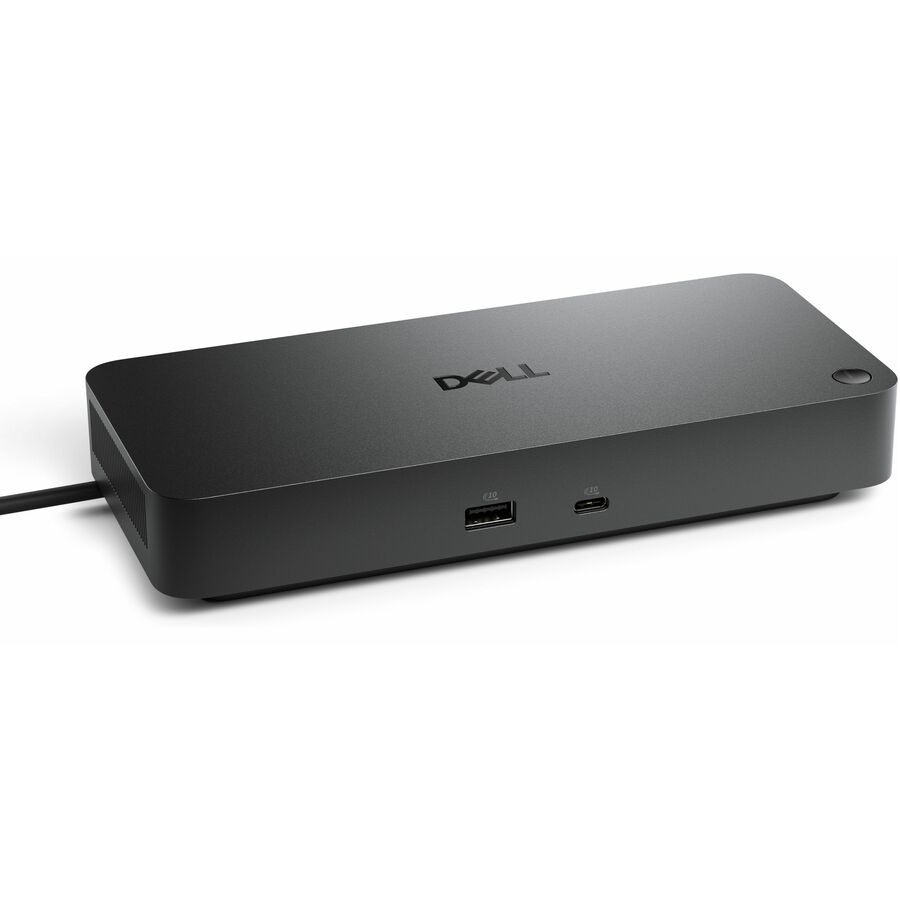




Powerful compatibility
Power essential productivity across the AI PC workplace. The Dell Pro Dock offers enhanced compatibility and drives up to 100W of power to new mainstream Dell AI PCs and non-Dell PCs.
Upgraded for modern work
Expand your views with native support for up to four high-res displays. Keep your PC accessories connected and charged with the latest ports, while staying productive with faster USB and network speeds.
Modern manageability
The Dell Pro Dock is part of the world's most manageable commercial docking family, with flexible management capabilities, designed to uplevel IT efficiency and keep users working without disruption.
A leader in sustainable innovation
Experience up to 72% reduction in power consumption on standby mode. Built with at least 65% postconsumer recycled materials and packaged with 100% recycled or renewable packaging.
Thoughtful design
Configure your workspace with an ambidextrous USB-C cable that can be routed left or right. Features a new robust USB-C connector, designed for enhanced durability
Elevate IT efficiency | Simplify PC workspace modernization at scale | Unified IT experience
Centralize management through a single cloud-based console. When connected to a PC, the Dell Pro Dock, and other Dell peripherals, offer streamlined manageability from the Dell Device Management Console.
Simplify firmware updates
Reduce IT complexity by deploying a single firmware file across PC workspaces. Minimize end-user disruption with silent firmware updates that are executed upon dock disconnection.
Enhance compatibility
Dell Pro Docks provide more universally compatible features, such as MAC Address Pass-Through and Power Button Sync, for a better docking experience across brands.
- Wired connectivity technology is highly feasible, offers maximum usability
- Charging capability provides a safer and more convenient charging experience
- USB Type C host interface Offers a more refined structure and safer to use connectivity
- Desktop PC device supported for better reliance and optimal performance
- 1.25 GB/s maximum data transfer rate for convenient, quicker exchange of data and information
- LED Power Indicator feature for maximum usage productivity with added dependability
- 2.5 Gigabit Ethernet Ethernet technology for a reliable, convenient way of communication and connectivity
- Power Adapter power source type for your docking station provides maximum energy feasibility and added surveillance productivity
- Enjoy HD quality videos on your HDTV with the HDMI port facility
- 6 USB ports offers a more refined structure and safer to use connectivity
| Brand | |
|---|---|
| Brand | Dell Technologies |
| GPU / Graphics | |
|---|---|
| Video Resolution Details | 6K - 60 Hz (Single Display) |
| Number of Displays Supported | 4 |
| Screen / Display | |
|---|---|
| Screen Mode Supported | WQHD @ 60Hz |
| Supported Resolutions | 1280 x 1024 |
| Power & Battery | |
|---|---|
| Power Delivery | 100W (Dell Systems) |
| Charging Capability | Yes |
| Maximum Power Supply Wattage | 130 W |
| Power Source Type | Power Adapter |
| Networking & Connectivity | |
|---|---|
| Connectivity Technology | Wired |
| USB Ports | |
|---|---|
| Number of USB 3.2 Gen 2 Type- | 4 |
| Total Number of USB Ports | 6 |
| USB Type-C | Yes |
| Number of USB Type-C Ports | 2 |
| USB Type-A | Yes |
| Number of USB Type-A Ports | 4 |
| HDMI Ports | |
|---|---|
| HDMI | Yes |
| Number of HDMI Ports | 1 |
| DisplayPort | |
|---|---|
| DisplayPort | Yes |
| Number of DisplayPorts | 2 |
| DisplayPort Version | 1.4 |
| Ethernet Port | |
|---|---|
| Network (RJ-45) | Yes |
| Size / Dimensions | |
|---|---|
| Maximum Height Adjustment (Above) | 8.07" |
| Appearance | |
|---|---|
| Color | Not Specified |
| Security | |
|---|---|
| Security Slot Type | Kensington Security Slot |
| Kensington Security Slot | Yes |
| General Features | |
|---|---|
| Management Features | Port Disablement |
| Maximum Data Transfer Rate | 1.25 GB/s |
| Manufacturer | Dell Technologies |
| Misc Ports | |
|---|---|
| Host Interface | USB Type C |
| Cables | |
|---|---|
| Cable Length | 2.95 ft |
| Brand | Dell Technologies |
| UPC/GTIN | 884116493662 |
| MPN | DELL-WD25 |
| Unit Count | 1 Units |
| Return Policy | This product is eligible for 30-day returns. See our return policy for details. |