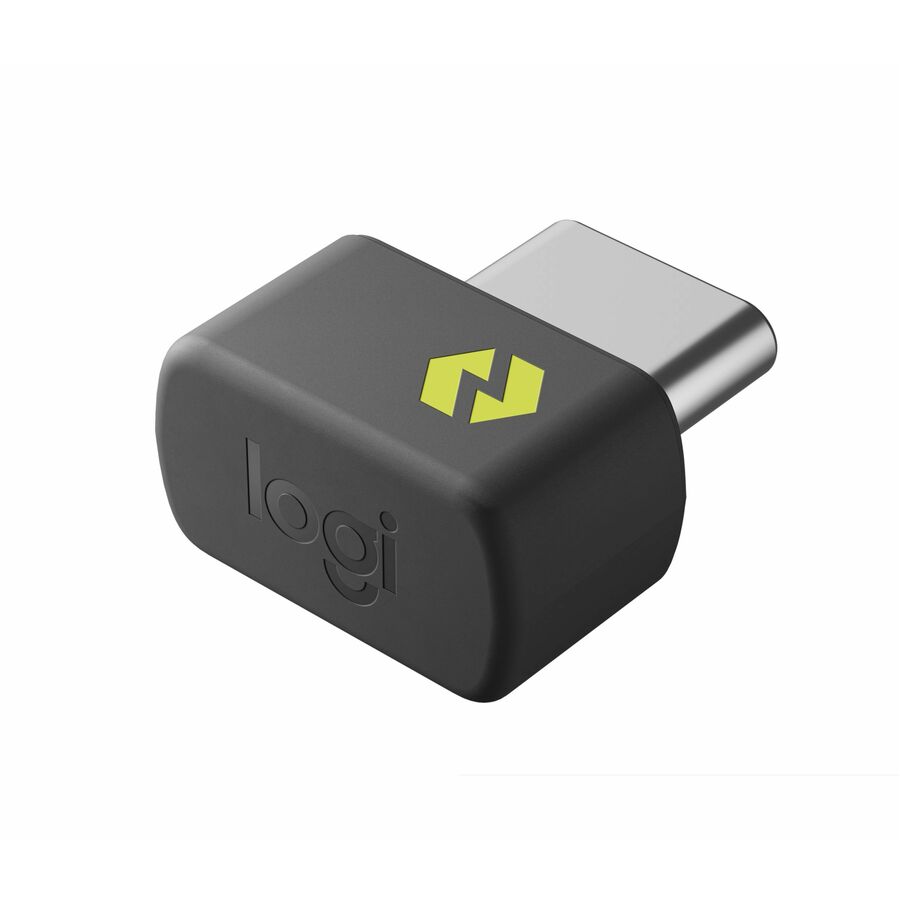




FOR BACKUP OR MULTI-COMPUTER USE
Have it handy in case you need to replace the receiver that came with your Logi Bolt wireless device. Connect to two different computers with a strong, secure Logi Bolt wireless connection on both devices. You can use your Bolt Receiver with your Flow-enabled Logi Bolt mouse for your multi-computer workflows using the Logi Options+ App. These are just a few reasons to buy a Logi Bolt receiver.
RELIABLE, SECURE WIRELESS
Designed for security and high performance, Logi Bolt delivers a strong and secure, no drop-off connection for up to 10 meters (33 feet), even in congested wireless environments. Compatible with: Windows®, macOS, Linux®, ChromeOS™
DISCRETE AND CONVENIENT
One port is all it takes. Once the receiver is plugged in, you can keep it installed. Take your laptop and connected Logi Bolt devices with you to different workspaces and keep working.
EASY PAIRING
Pair it with Logi Bolt wireless mice and keyboards Simply visit logitech.com/options to download Logitech Options then follow step by step on-screen instructions.
ONE RECEIVER - 6 DEVICES
Connect up to 6 Logi Bolt wireless keyboards and mice to one computer5Requires Logitech Options software, available for download for Windows 10 or later, macOS 10.14 or later. with a single Logi Bolt receiver - and forget the hassle of multiple USB receivers. Plus, keep one wireless keyboard/mouse set in each workspace, then simply move your laptop into range. No need to carry or commute with mice or keyboards.
LOGI BOLT USB RECEIVER
Use this Logi Bolt USB receiver to make a secure, high performance wireless connection between your Logi Bolt wireless mouse, keyboard or combo and your computer. Choose between Logi Bolt USB-A and USB-C connectivity.
High Performance. Engineered Responsibly.
We engineer our products for speed, precision, and high performance, all while considering sustainability as a key criteria throughout every stage of the product development process
- FOR BACKUP OR MULTI-COMPUTER USE: Have it handy in case you need to replace the receiver that came with your Logi Bolt wireless device. Connect to two different computers with a strong, secure Logi Bolt wireless connection on both devices. You can use your Bolt Receiver with your Flow-enabled Logi Bolt mouse for your multi-computer workflows using the Logi Options+ App. These are just a few reasons to buy a Logi Bolt receiver.
- RELIABLE, SECURE WIRELESS: Designed for security and high performance, Logi Bolt delivers a strong and secure, no drop-off connection for up to 10 meters (33 feet), even in congested wireless environments.
- Compatible with: Windows, macOS, Linux, ChromeOS
- DISCRETE AND CONVENIENT: One port is all it takes. Once the receiver is plugged in, you can keep it installed. Take your laptop and connected Logi Bolt devices with you to different workspaces and keep working.
- EASY PAIRING: Pair it with Logi Bolt wireless mice and keyboards. Simply visit logi.com/optionsplus to download Logi Options+ A
| Brand | |
|---|---|
| Brand | Logitech |
| Size / Dimensions | |
|---|---|
| Form Factor | External |
| Maximum Height Adjustment (Above) | 0.3" |
| Appearance | |
|---|---|
| Color | Graphite |
| General Features | |
|---|---|
| Manufacturer | Logitech |
| Misc Ports | |
|---|---|
| Host Interface | USB Type C |
| Brand | Logitech |
| UPC/GTIN | 097855203229 |
| MPN | 956-000156 |
| Unit Count | 1 Units |
| Warranty | 1 Year |
| Return Policy | This product is eligible for 30-day returns. See our return policy for details. |
| Customer Reviews | 4.1 (15) |
Alternative Products
Ratings
