Skip to Content

Targus DM4240SUSZ 24" Class Full HD LCD Monitor - 16:9 - Charcoal

146.49 146.49
146.49

146.49 / Units
  • Brand
  • Depth
  • Weight (Approximate)
  • Height
  • Product Name
  • Marketing Information
  • Brand Name
  • Manufacturer Part Number
  • Width
  • Screen Size Class
  • Viewable Screen Size
  • Stand Adjustments
  • Features
  • USB
  • USB Type-C
  • HDMI
  • Total Number of HDMI Ports
  • DisplayPort
  • Number of DisplayPorts
  • Network (RJ-45)
  • VGA
  • Number of VGA Ports
  • Product Color
  • Color Family
  • VESA Mount Compatible
  • VESA Mount Standard
  • Maximum Resolution
  • Screen Mode
  • Aspect Ratio
  • Standard Refresh Rate
  • Number of Screens
  • TAA Compliant
  • Country of Origin
  • Package Contents
  • Limited Warranty
  • Manufacturer
  • Product Type
  • Product Model
  • Manufacturer Website Address
  • Maximum Power Consumption
This product is eligible for 30-day returns subject to a restocking fee. See our return policy for details. Terms and Conditions
Shipping: 1-6 Business Days

Specifically designed to work with the Targus® 24-inch USB-C®™ Docking Monitor with 100W Power Delivery (DM4240PUSZ sold separately), the 24-inch Secondary Monitor seamlessly extends your workspace display setup. Daisy-chained to the primary monitor using a single adapter -sufficient to power both monitors plus your laptop - this combination will help you be more productive while maintaining a clutter-free workspace. Equipped with 1080p HD LCD high-resolution graphics and a comfortable viewing design, the secondary monitor is the perfect addition for productive professionals to expand their desktop.

Efficient Dual Display Setup

Extend your laptop for ultimate workspace efficiency - Ultra compatible docking station and monitor in one, plus a seamless connection with secondary display (DM4240PUSZ sold separately) without additional external power supply.

Innovative and Comfortable Design

With fully adjustable height and screen angles, the comfort design of this docking monitor is the ideal addition for your display needs. Seeing your work in portrait or landscape mode, plus full 360° screen rotation, helps you enjoy clear, crisp colors in 1080p HD with 178° wide angle viewing. For maximum comfort, try adding an Antimicrobial Blue Light Filter Screen Protector or a 4Vu™ Privacy Screen made to fit your 24-inch monitor (sold separately).

More from the Manufacturer
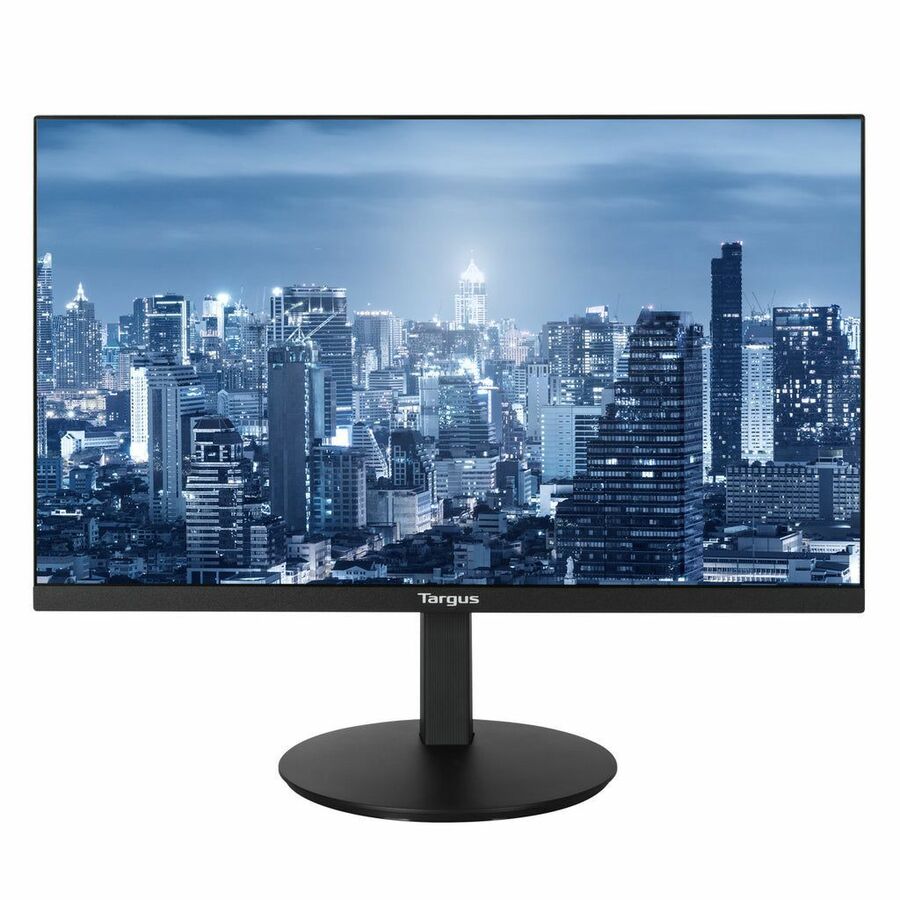
  • 24-inch, 1080p HD backlit LCD display with wide angle viewing (23.8" diagonal viewable area)
  • Provides resolution up to 1920 x 1080 @ 60hz
  • Adjustable height, screen tilt angle, 360° rotation, and portrait/landscape mode
  • Designed to work with Targus® 24-inch USB-C® Docking Monitor with 100W Power Delivery (DM4240PUSZ sold separately) for productive, dual-display setup
  • 1 HDMI 1.4 video port
  • 1 DisplayPort™ 1.2 port
  • 1 VGA port
  • 1 Audio port
  • Cable management clip included
  • VESA® 100 mount capable
  • Includes DC power cable and DP daisy chain cable
  • Industry-leading 3-year limited warranty
Brand
Brand Targus Group International
GPU / Graphics
Number of Screens 1
Screen / Display
Screen Size Class 24"
Viewable Screen Size 23.8"
Maximum Resolution 1920 x 1080
Screen Mode Full HD
Aspect Ratio 16:9
Standard Refresh Rate 60 Hz
Power & Battery
Maximum Power Consumption 100 W
USB Ports
USB Yes
USB Type-C Yes
HDMI Ports
HDMI Yes
Total Number of HDMI Ports 1
DisplayPort
DisplayPort Yes
Number of DisplayPorts 1
Ethernet Port
Network (RJ-45) Yes
Size / Dimensions
VESA Mount Compatible Yes
VESA Mount Standard 100 x 100
Appearance
Stand Adjustments Pivot
General Features
Manufacturer Targus Group International
Video Ports
VGA Yes
Number of VGA Ports 1
Compliance & Certification
TAA Compliant No

Ratings

Authentic Reviews powered by Bazaarvoice
4.8
13 Reviews
13 out of 13 (100%) reviewers recommend this product

Customer reviews are powered by Bazaarvoice. Your browser or an extension is blocking it. To read reviews from verified buyers, please allow bazaarvoice.com in your ad blocker or privacy settings and refresh this page.