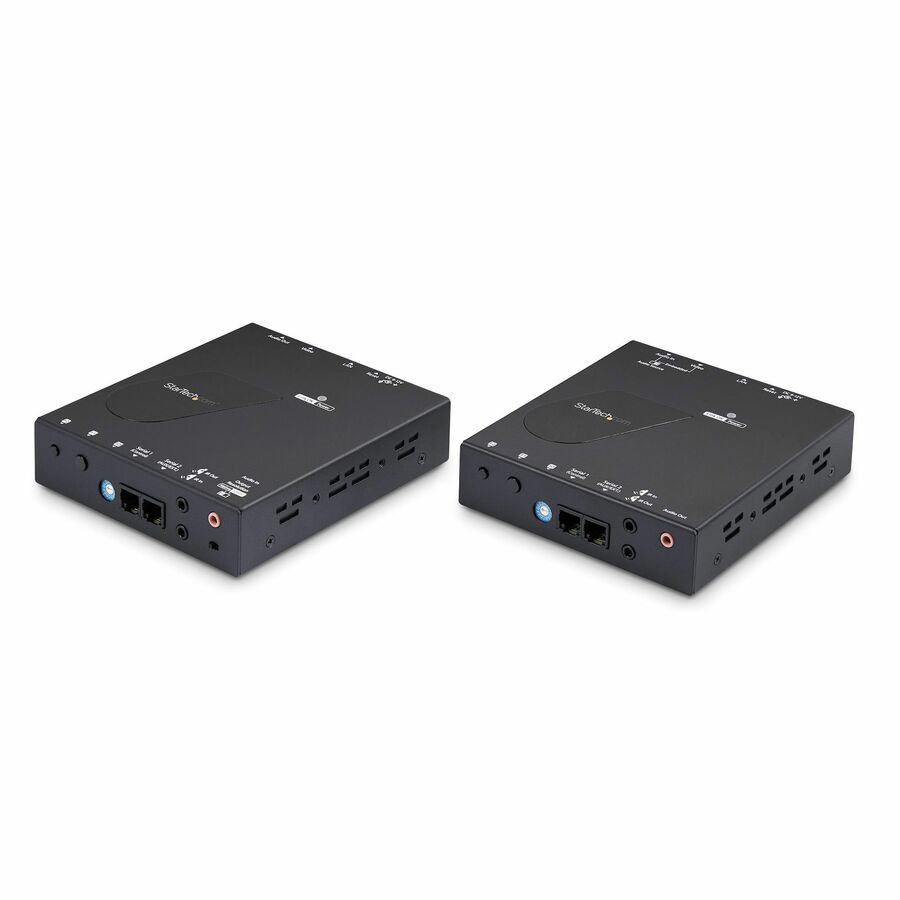




Distribute 4K 30Hz HDMI signals across your existing IP network with this high-performance AV over IP extender kit. Designed for IT professionals, system integrators, and digital signage specialists, this solution delivers unmatched flexibility for scaling video distribution without the limitations of traditional HDMI splitters or fixed extenders.Scalable HDMI Over IPEasily expand your A/V distribution setup and build dynamic video walls using the ST12MHDLAN4K extender kit and additional receivers (ST12MHDLAN4R , sold separately):One-to-Many: Connect up to 16 receivers to a single transmitter, ideal for broadcasting HDMI over IP to multiple displaysMany-to-Many: Integrate up to 16 ST12MHDLAN4K extender kits and additional ST12MHDLAN4R receivers with a maximum of 16 transmitters and 256 receivers.For smaller-scale deployments, the extender kit can be used in a simple point-to-point setup over Cat5e/6 cabling up to 330 ft (100 m), with support for extending two independent 3.5 mm audio sources to remote speaker systems.Centralized Video Control AppThe included iOS/Android Video Control App empowers administrators to name sources and displays, switch inputs, and configure video walls, all from a mobile device. With RS232 passthrough, TVs or serial-controlled devices can be managed remotely through the same network.Flexible Installations for Any EnvironmentPerfect for digital signage in retail, hospitality, and corporate settings, as well as command centers or other mission-critical environments. The kit includes mounting hardware for clean shelf or rack installations and supports both static and dynamic signage needs.Note: For optimal performance, a managed network switch with IGMP is recommended when using more than one transmitter or more than four receivers. Non-managed switches may impact the performance of other devices on your network. Jumbo frames support must be enabled to stream 4K video effectively.
- The IT Pro's Choice: Backed by decades of connectivity expertise from legacy VGA to modern USB4 and AVoIP solutions; TAA compliant for government and enterprise procurement; Work with a single trusted partner for all your A/V connectivity needs
- Flexible Deployment: Suitable for digital signage in retail, hospitality, corporate or any other environment, as well as mission-critical video wall setups in command and control rooms; Mounting brackets included
- Scalable HDMI over IP: Easily expand your A/V network with one-to-many or many-to-many video wall setups by simply adding transmitters and receivers; Requires adequate network bandwidth and multicast / jumbo frames support
- Video Control App and RS232: Control video routing in a centralized way with the free iOS/Android app; Name sources/displays, set up video walls, and use RS232 passthrough to manage TVs or serial devices remotely
- AV over IP HDMI Extender: Distribute 4K 30Hz HDMI signals over existing IP network infrastructure using AVoIP; Ideal for IT teams
| Brand | |
|---|---|
| Brand | StarTech.com |
| GPU / Graphics | |
|---|---|
| Graphics Modes | 4K |
| Networking & Connectivity | |
|---|---|
| Connectivity Technology | Wired |
| HDMI Ports | |
|---|---|
| HDMI Out | Yes |
| HDMI In | Yes |
| Number of HDMI Outputs | 1 |
| Number of HDMI Inputs | 1 |
| Ethernet Port | |
|---|---|
| Number of Network (RJ-45) Por | 2 |
| Network (RJ-45) | Yes |
| Number of Network (RJ-45) Ports | 2 |
| Camera / Webcam | |
|---|---|
| Maximum Video Resolution | 3840 x 2160 |
| Input Devices | |
|---|---|
| Number of Input Devices Suppo | 1 |
| Size / Dimensions | |
|---|---|
| Transmitter Weight (Approxima | 1.32 lb |
| Form Factor | Rack-mountable |
| Receiver Width | 4.60" |
| Receiver Weight (Approximate) | 1.32 lb |
| Receiver Height | 1.20" |
| Receiver Depth | 5.10" |
| Transmitter Depth | 5.10" |
| Transmitter Weight (Approximate) | 1.31 lb |
| Transmitter Height | 1.20" |
| Transmitter Width | 4.60" |
| General Features | |
|---|---|
| Number of Output Devices Supp | 1 |
| Maximum Operating Distance | 328.08 ft |
| Supported Video Modes | 720p |
| Manufacturer | StarTech.com |
| Number of Input Devices Supported | 1 |
| Number of Output Devices Supported | 1 |
| Printer/Scanner/Fax Specs | |
|---|---|
| Media Type Supported | Twisted Pair |
| Cables | |
|---|---|
| Twisted Pair Cable Standard | Category 5e |
| Compliance & Certification | |
|---|---|
| TAA Compliant | Yes |
| Environmentally Friendly | Yes |
Alternative Products
Ratings
