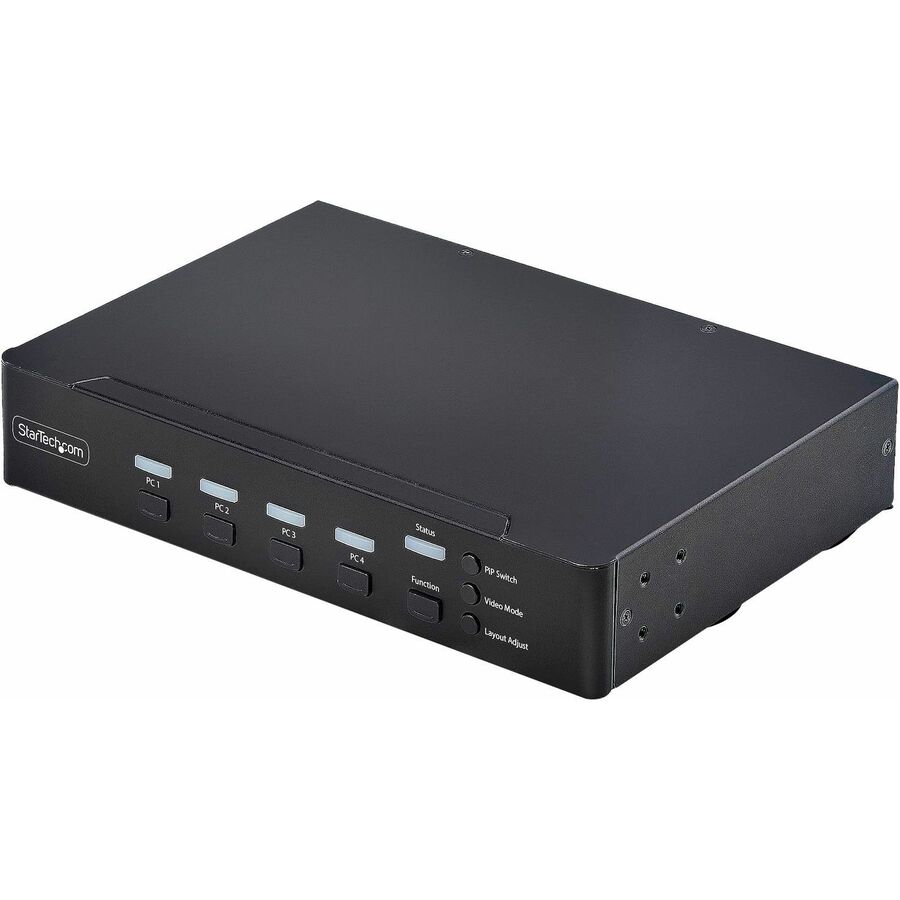




Streamline complex workflows by managing up to four DisplayPort computers from a single keyboard, mouse, and display. With support for true 4K 60 Hz (4:4:4) resolution, this multiview KVM delivers crisp text and precise visuals across Windows, macOS, and Linux workstations.
Multiview Monitoring
Maintain full awareness and react faster by viewing multiple systems at once. Flexible display modes including Quad-View, Picture-in-Picture (PiP), and Picture-by-Picture (PbP) let you monitor and compare the four sources.
Instant Switching With Continuous Video
Move seamlessly between systems using mouse roaming with zero latency and no screen blackout. Continuous video output keeps every system visible at all times, eliminating delays caused by switching or waiting for auto-scan cycles, reducing disruption in control rooms, industrial environments, and other time-sensitive operations.
Switch Your Way
Adapt the KVM to your environment with multiple switching methods. Use front-panel buttons, keyboard hotkeys, mouse roaming, mouse side buttons, or serial control via RJ-11 or USB-C to support hands-on use, remote management, or automated workflows.
Built-In Dual Display Output
Mirror the KVM output to two displays simultaneously using DisplayPort and HDMI. Use a local desktop monitor for hands-on control while displaying the same view on a larger wall-mounted TV for monitoring or team visibility. This dual console output improves visibility, collaboration, and redundancy without requiring external splitters or additional hardware.
- 4-PORT MULTIVIEW KVM SWITCH: Control up to four DisplayPort computers using one USB keyboard, mouse, and DP monitor; Supports 4K 60Hz (4:4:4) resolution for sharp text and visuals across professional workstations; Works with Windows, macOS, and Linux
- MULTIPLE DISPLAY MODES FOR MAXIMUM PRODUCTIVITY: Improve efficiency, system awareness, and response time by viewing and managing up to four computers at once using Full Screen, Quad-View, Picture-in-Picture (PiP), and Picture-by-Picture (1+3 or 3+1 PbP) modes
- SEAMLESS MOUSE SWITCHING WITH ZERO DELAY: Instantly switch between connected computers using mouse roaming, with no screen blackout or latency; Continuous video output minimizes disruption and keeps workflows smooth in control rooms and industrial environments
- ADAPT SWITCHING TO ANY WORKFLOW: Switch systems using front-panel buttons, hotkeys, mouse roaming, mouse side buttons, or serial control via RJ-11 or USB-C, allowing users to manage systems in a way that best fits their environment or automation needs
| Brand | |
|---|---|
| Brand | StarTech.com |
| GPU / Graphics | |
|---|---|
| Graphic Mode | 4K |
| Power & Battery | |
|---|---|
| Power Plug Type | Type M |
| Input Voltage Range | 100 - 240 AC |
| Input Current | 1 A |
| Networking & Connectivity | |
|---|---|
| Connectivity Technology | Wired |
| USB Ports | |
|---|---|
| USB | Yes |
| Number of USB Ports | 9 |
| USB Standard | USB 3.2 (Gen 1) Type C |
| USB 2.0 | Yes |
| HDMI Ports | |
|---|---|
| HDMI | Yes |
| Number of HDMI Ports | 1 |
| DisplayPort | |
|---|---|
| DisplayPort | Yes |
| Number of DisplayPorts | 5 |
| Camera / Webcam | |
|---|---|
| Maximum Video Resolution | 3840 x 2160 |
| General Features | |
|---|---|
| Maximum Data Transfer Rate | 640 MB/s |
| Manufacturer | StarTech.com |
| Number of Computers Supported | 4 |
| Compliance & Certification | |
|---|---|
| Maximum Operating Temperature | 104°F (40°C) |
| Minimum Operating Temperature | 32°F (0°C) |
| TAA Compliant | Yes |