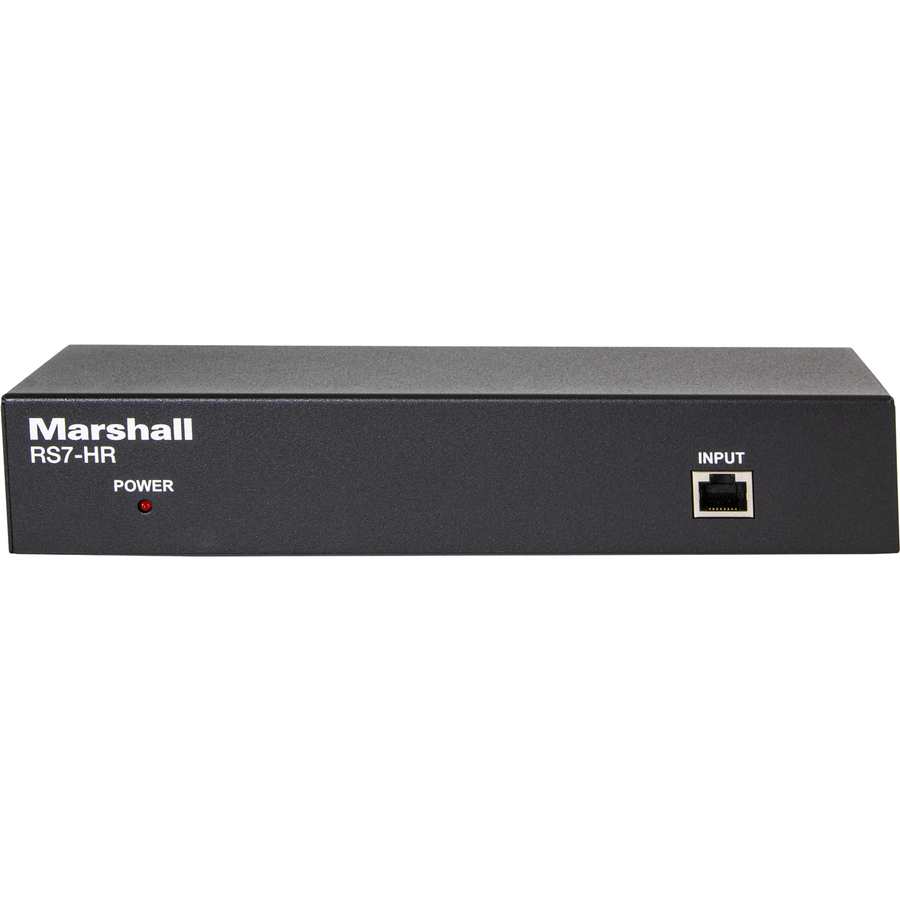




RS7-HR CONNECTION
The RS7-HR can be set on a desk top or you can use the included 1RU rack ears to install a rack. Please note the following:
The RS7-HR can be set on a desk top or you can use the included 1RU rack ears to install a rack. Please note the following:
- Before connecting your equipment please select RS232 or RS422 on the back of the unit
- Connect your controller to the Input connection on the front of the RS7-HR using a Cat 5/6 cable
- On the back of the RS7-HR connect your Cat 5/6 cables from the RS7-HR to each camera (you may need optional CV620-CABLE-07 Adapters for RS232)
- You will now connect power to the RS7-HR, you will see a red indicator light appear on the front of the unit, now you will push the refresh button once
- If you disconnect a camera or add a camera you will need to push the refresh button again
- Splits one Cat (RJ45) control cable to 7 cameras via Home Run.
- Easy and clean setup from Marshall Controllers (VS-PTC-IP, VS-PTC-200) and others.
- Extends usable RS232 Cat cable runs for control of cameras to 100m from controller to RS7-HR box and another 100m to each of seven camera locations (200m total). Using RS422 its extends (300m + 300m for a total of 600m).
- Easy access dip switches to switch between RS232 and RS422.
- Refresh button is used when any changes are made (add/remove, dip switch change)
- Rack mount ears provided (1 pair) for 1RU 19" rack mount and small ears (1 pair) for optional table or wall mount.
| Brand | |
|---|---|
| Brand | Marshall Electronics |
| General Features | |
|---|---|
| Indicator Light | Yes |
| Manufacturer | Marshall Electronics, Inc |
| Brand | Marshall Electronics, Inc |
| UPC/GTIN | 801813225884 |
| MPN | RS7-HR |
| Unit Count | 1 Units |
| Return Policy | This product is eligible for 30-day returns. See our return policy for details. |
Alternative Products
Your Dynamic Snippet will be displayed here...
This message is displayed because youy did not provide both a filter and a template to use.