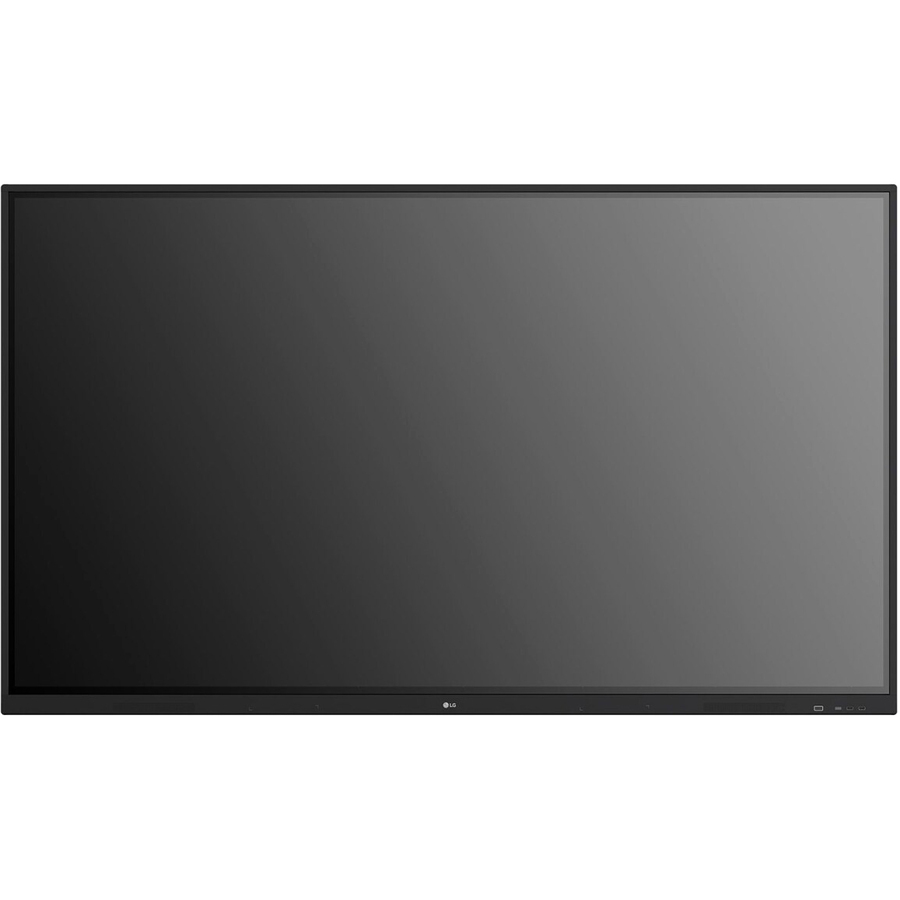




SMOOTH TOUCH & WRITING EXPERIENCE | Multi Touch
The TR3DJ series can have up to 20 points of touch simultaneously. This function offers a lifelike board touch experience and makes collaboration easier.
SMOOTH TOUCH & WRITING EXPERIENCE | Enhanced Visibility with Low Parallax
With 1mm gap between the screen and tempered glass, which supports low parallax, The TR3DJ series can offer precise touch and excellent writing experience.
SMOOTH TOUCH & WRITING EXPERIENCE | Dual Pen & Dual Color
The dual pens allow for two colors to be used at the time to write or draw.
SMOOTH TOUCH & WRITING EXPERIENCE | Easy Writing Experience
The TR3DJ series allows you to write and annotate on virtually any input source.
EASY CONNECTION & SHARING | Air Class
With Air Class you can connect up to 30 students. It offers interactive meetings for mobile devices on the same network, providing a variety of tools such as voting, answering, and sharing project texts. Air Class is easily installed from the TR3DJ's main toolbar.
EASY CONNECTION & SHARING | Built-in OPS Slot
The TR3DJ series supports Open Pluggable Specification (OPS) slots, allowing you to easily and conveniently mount OPS device to the back of the digital board without the hassle of connecting to an external device.
EASY CONNECTION & SHARING | ScreenShare Pro
ScreenShare Pro enables you to show up to six shared screens in real-time. It also allows users to share via Chromecast or with Apple device mirroring on the same network. This software can be used on IOS, Mac, Windows, Android, Chrome OS.
EASY CONNECTION & SHARING | Bluetooth Connectivity
TR3DJ supports Bluetooth wireless connections to various devices such as speakers, a mouse or a keyboard. This is great for building a hybrid environment so that online and offline meetings and classes can proceed smoothly.
USER FRIENDLY EXPERIENCE | Web Browser
The TR3DJ series supports an embedded web browser, so you can search the web easily and quickly, without connecting to an external tablet or computer.
USER FRIENDLY EXPERIENCE | Toolbar
Easily find the tools that you need on the toolbar. The annotation feature works on virtually all file types, and you can highlight the section you wish to emphasize using the Spotlight function. It also features a countdown and stopwatch that can help you manage class time effectively.
USER FRIENDLY EXPERIENCE | Audio Experience
The TR3DJ series has built-in speakers in both sides of the front bezel which deliver high-quality sound and creates a clear audio experience.
USER FRIENDLY EXPERIENCE | USB Block
USB Block Mode is a security measure that helps prevent data from being copied to unauthorized devices, which is essential for being used in spaces where security is critical.
- UHD (3,840x2,160) IPS Display
- IR Multi touch point (Max 20 points/Max 10 writing)
- Dual Pen and Dual Color
- AirClass, ScreenShare Pro, & Bluetooth Connectivity,
- Integrated OPS slot (PC not included)
| Brand | |
|---|---|
| Brand | LG Electronics |
| GPU / Graphics | |
|---|---|
| HDCP Supported | Yes |
| Screen / Display | |
|---|---|
| Contrast Ratio | 1 , 100:1 |
| Display Orientation | Landscape |
| Viewable Screen Size | 75" |
| Touchscreen | Yes |
| Multi-touch Screen | Yes |
| Touchscreen Technology | Infrared (IrDA) |
| Number of Touch Points | 20 |
| Backlight Technology | Direct LED |
| Screen Resolution | 3840 x 2160 |
| Display Screen Technology | In-plane Switching (IPS) Technology |
| Display Screen Type | LCD |
| Screen Mode | 4K UHD |
| Aspect Ratio | 16:9 |
| Brightness | 350 Nit |
| Response Time | 8 ms |
| Horizontal Viewing Angle | 178° |
| Vertical Viewing Angle | 178° |
| Power & Battery | |
|---|---|
| Input Voltage | 230 V AC |
| Power Consumption | 294 W |
| Networking & Connectivity | |
|---|---|
| Wireless LAN | Yes |
| Bluetooth | Yes |
| Ethernet | Yes |
| USB Ports | |
|---|---|
| USB | Yes |
| Total Number of USB Ports | 6 |
| Number of USB 2.0 Ports | 3 |
| Number of USB 3.0 Ports | 3 |
| HDMI Ports | |
|---|---|
| HDMI | Yes |
| Number of HDMI Outputs | 1 |
| Number of HDMI Inputs | 3 |
| Ethernet Port | |
|---|---|
| Network (RJ-45) | Yes |
| Audio Ports | |
|---|---|
| Audio Line Out | Yes |
| Audio Line In | Yes |
| Audio | |
|---|---|
| Speakers | Yes |
| Number of Speakers | 2 |
| RMS Output Power | 24 W |
| Software & Licensing | |
|---|---|
| Operating System Platform | Windows |
| Size / Dimensions | |
|---|---|
| VESA Mount Compatible | Yes |
| VESA Mount Standard | 800 x 400 |
| General Features | |
|---|---|
| Manufacturer | LG Electronics |
| Video Ports | |
|---|---|
| VGA | Yes |
| Misc Ports | |
|---|---|
| Serial | Yes |
| Printer/Scanner/Fax Specs | |
|---|---|
| Scan Format | 2160p |
| Compliance & Certification | |
|---|---|
| Energy Star | No |
| Brand | LG Electronics |
| UPC/GTIN | 195174036426 |
| MPN | 75TR3DJ-ST |
| Unit Count | 1 Units |
| Return Policy | This product is eligible for 30-day returns subject to a restocking fee. See our return policy for details. |