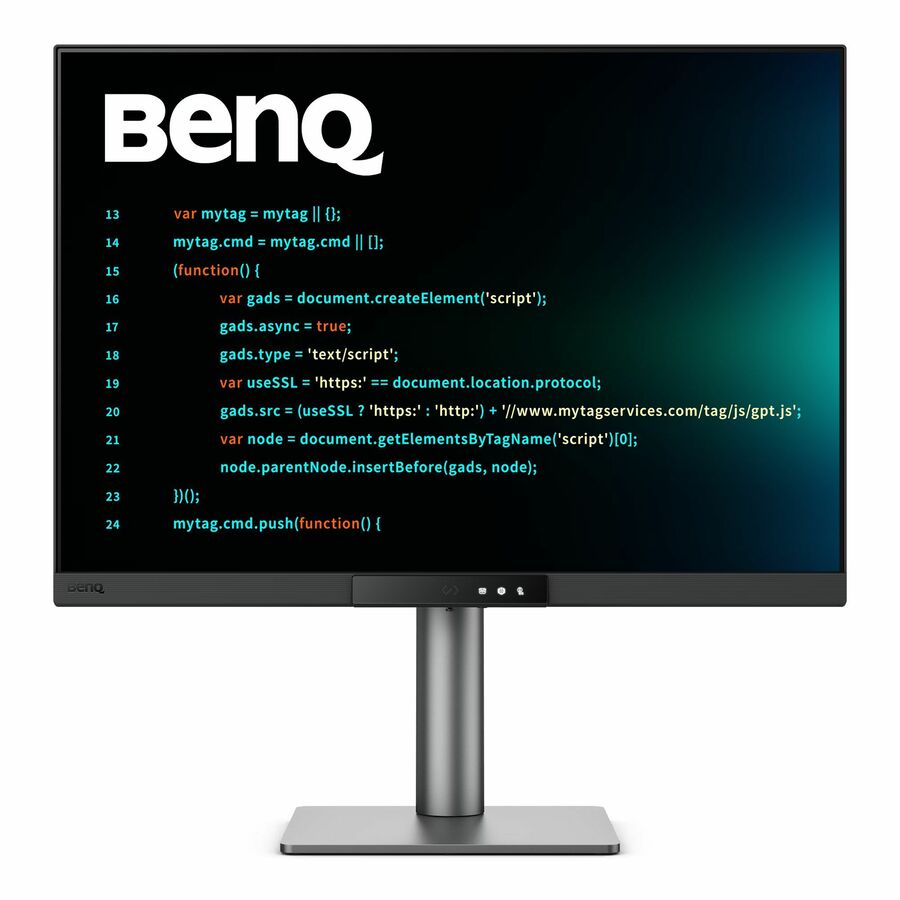




Press the Hotkey to Start Your "Hello, World!"
Hit the Coding HotKey to activate the Function Bar and dive straight into coding. Instantly apply coding modes, adjust brightness, contrast, and eye-care settings, toggle Night Hours Protection, or control the MoonHalo Backlight.
Your Eyes and Body Deserve the Same Care as Your Code
Your eyes and proper ergonomics are important, so we prioritize them in every design.
Light up Your Innovative Space with the MoonHalo
Not just a monitor, but also an acclaimed backlight too! With customizable color temperature, brightness, light modes, plus Auto Dimming, MoonHalo ensures optimal eye protection and focus, whether at home or in the office.
Smooth and Snappy Coding with 120Hz
With 120Hz refresh rate, enjoy ultra-smooth visuals, effortless scrolling, universal performance, and gentle experience that keep your eyes comfortable all day.
Night Hours Protection for Late Night Programmers
Coding late at night just flows. Night Hours Protection with ultra-low brightness technology keeps your eyes safe while letting your creativity flow.
Complete Eye-Care Coverage!
Equipped with visual optimizer for automatic brightness, and color temperature adjustments to adapt seamlessly to your working environment. The RD280UG is T�V-certified for Flicker-Free, Reflection-Free, Low Blue Light, Eye Comfort 2.0, and Eyesafe 2.0, ensuring minimal distractions, reduced harmful blue light, and a comfortable, safe viewing experience without compromising vivid, lifelike colors.
Every Great Project Begins with Code Clarity
In the exclusive Coding Modes, displays are finely tuned for optimal clarity in both dark and light themes. The new Paper Color Mode simulates the look and feel of printed media and is an additional way to read while being easy on the eyes.
Dark Theme
Dark Theme enhances readability, boosts coding speed, and improves debugging precision.
Light Theme
Light Theme for clear viewing without eye strain.
Paper Color
The new - Paper Color Mode lets you enjoy the comfort of paper-like reading.
Clarity without Glare with Our Nano Matte Panel
Featuring a low reflection coating to minimize distractions, this advanced technology enhances focus and boosts productivity, delivering unparalleled clarity and eye-strain relief for peak performance.
High Pixel Contrast Enhances Every Line for Sharper Detail
The RD280UG features a 2000:1 contrast ratio with multi-layered High Pixel Contrast Technology. Static and dynamic contrast tuning, combined with Local Contrast Optimization, reveal fine details and enhanced dark-area clarity, for your IDE, movies, or games after work.
- 28.2" viewable screen size ensures sharp, vibrant visuals for a consistently engaging and responsive viewing experience
- LED backlight technology enhances brightness and contrast while using less power for vivid visuals and energy-efficient performance
- 5 ms response time enhances responsiveness and visual sharpness, ideal for action-packed games, sports, and dynamic media
- FreeSync Premium eliminates tearing and stutter, helping deliver fluid motion and clarity in high-refresh gaming environments
- 3:2 aspect ratio optimizes screen layout for efficient multitasking and accurate content scaling across applications
- 350 Nit brightness gives an exceptional visible display with stable brightness and accurate color across different content types
- HDR10 feature enhances stability and system control for consistent, uninterrupted performance
- 3840 x 2560 maximum resolution produces vibrant, high-definition visuals with optimized clarity for accurate viewing
- LED Monitor delivers stable long-term performance for both professi
| Brand | |
|---|---|
| Brand | BenQ Corporation |
| GPU / Graphics | |
|---|---|
| HDCP Supported | Yes |
| Tearing Prevention Technology | FreeSync Premium |
| Number of Screens | 1 |
| Screen / Display | |
|---|---|
| Native Contrast Ratio | 000:1 , 2 |
| Brightness (Peak) | 400 Nit |
| Screen Size Class | 28" |
| Viewable Screen Size | 28.2" |
| Backlight Technology | LED |
| Maximum Resolution | 3840 x 2560 |
| Screen Mode | 4K+ |
| Aspect Ratio | 3:2 |
| Panel Technology | In-plane Switching (IPS) Technology |
| Brightness | 350 Nit |
| Response Time | 5 ms |
| Color Gamut | 95% P3 |
| Color Supported | 1.07 Billion Colors |
| Horizontal Viewing Angle | 178° |
| Vertical Viewing Angle | 178° |
| Pixel Per Inch (PPI) | 164 |
| Response Time Details | 5 ms GTG |
| USB Ports | |
|---|---|
| Total Number of USB Type-C Po | 3 |
| Number of USB Type-B Upstream | 1 |
| USB | Yes |
| Number of USB Ports | 6 |
| USB Type-C | Yes |
| USB Type-B | Yes |
| Number of USB Type-B Ports | 1 |
| HDMI Ports | |
|---|---|
| HDMI | Yes |
| Total Number of HDMI Ports | 1 |
| Number of HDMI 2.1 Ports | 1 |
| DisplayPort | |
|---|---|
| DisplayPort | Yes |
| Number of DisplayPorts | 1 |
| Audio | |
|---|---|
| Speakers | Yes |
| Number of Speakers | 2 |
| Size / Dimensions | |
|---|---|
| Weight with Stand (Approximat | 22.27 lb |
| Height with Stand | 24.22" |
| Extended Height with Stand | 24.22" |
| Compressed Height with Stand | 18.31" |
| Depth with Stand | 9.19" |
| Width with Stand | 24.03" |
| VESA Mount Compatible | Yes |
| VESA Mount Standard | 100 x 100 |
| Mount Type | Wall Mountable |
| Appearance | |
|---|---|
| Adjustable Stand | Yes |
| Stand Adjustments | Tilt |
| General Features | |
|---|---|
| Built-in Devices | KVM Switch |
| Manufacturer | BenQ Corporation |
| Compliance & Certification | |
|---|---|
| Energy Star | Yes |