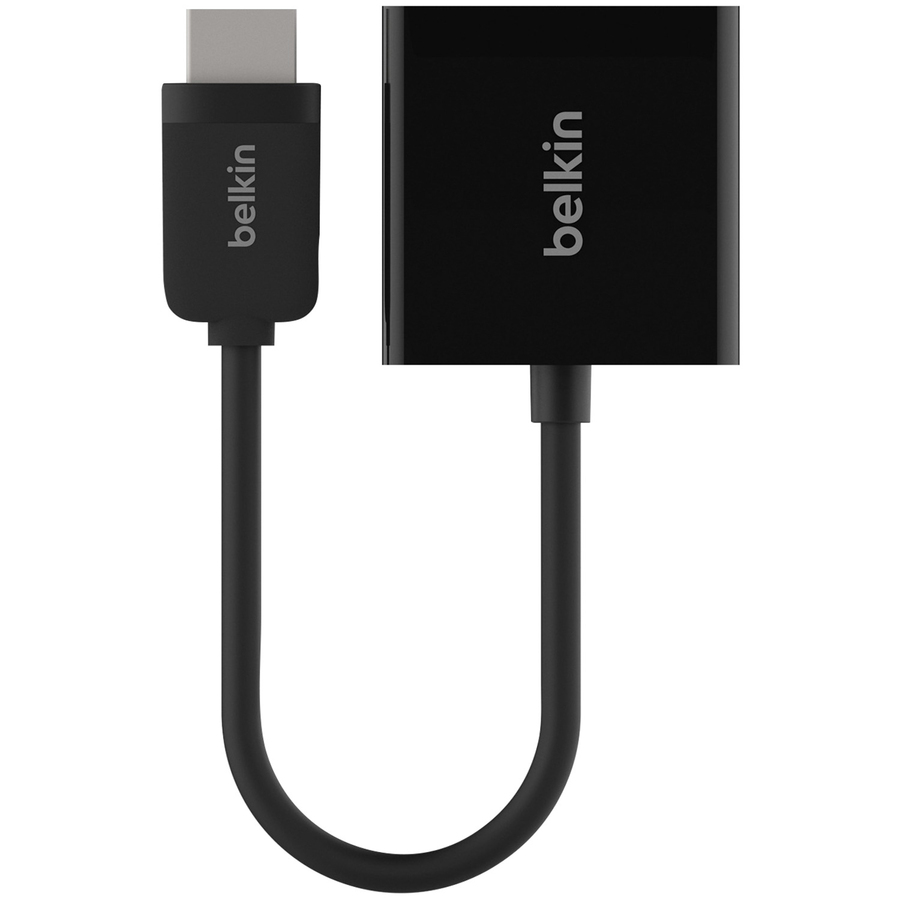




- Transmit audio and video from HDMI to VGA monitors and projectors
- Continue to use older monitors with new devices
- Convenient adapter connects and converts signal
- Supports resolutions up to 1920 x 1080 for PC and 1080p for HDTV
- 3.5mm audio jack sends audio to speakers or a display
- Simple plug-and-play connectivity
1. HMDI (1 x 19 pin male)--connects to your laptop, desktop or tablet
2. VGA (1 x 15 pin female)--connects to an existing VGA cable connected to your monitor or projector
3. 3.5mm audio jack--allows you to connect separate audio cable to speakers or display
4. Adapter cable--short length for easy portability
CONNECT HDMI DEVICES TO VGA MONITORSEasily connect your HDMI-enabled devices to a VGA monitor with the HDMI to VGA Adapter. This convenient HDMI male to VGA female adapter cable allows you to display video from HDMI-enabled laptops, desktops and tablets on monitors with a VGA input, as well as offers a separate audio output to send signal to speakers or a display.
CONNECTIVITY FOR OLDER MONITORSThis HDMI to VGA adapter features a female VGA connector which allows you to attach it to an existing VGA cable that can stay firmly screwed into the back of your monitor, letting you continue to take full advantage of existing monitors or projectors without needing to upgrade to an HDMI-compatible model. This cable supports PC resolutions up to 1920 x 1080 pixels and HDTV resolutions up to 1080p.
DISCREET 3.5MM AUDIO OUTPUTHDMI cables transmit both video and audio signals, but VGA cables are only able to transmit video. The back of the VGA adapter features a 3.5mm audio jack that allows you to attach an audio cable (not included) to your speakers or display so you can enjoy both audio and video from your HDMI-enabled device.
PLUG-AND-PLAY SIMPLICITYThis HDMI to VGA converter doesn't require any software or additional driver installation to display an HDMI-enabled device on a VGA monitor. Once connected, the adapter will automatically convert the digital HDMI signal to analog VGA and display instantly on your VGA monitor at the monitor's maximum resolution.
Package Includes:- HDMI (male) to VGA (Female) with 3.5mm audio jack adapter
- Simple plug-and-play connectivity
- Transmit audio and video from HDMI to VGA monitors and projectors
- 3.5mm audio jack sends audio to speakers or a display
- Supports resolutions up to 1920 x 1080 for PC and 1080p for HDTV
- Continue to use older monitors with new devices
- Convenient adapter connects and converts signal
| Brand | |
|---|---|
| Brand | Belkin International |
| Screen / Display | |
|---|---|
| Supported Resolution | 1920 x 1080 |
| General Features | |
|---|---|
| Manufacturer | Belkin International, Inc |
| Cables | |
|---|---|
| Conductor | Copper |
| Cable Type | HDMI/Mini-phone/VGA |
| Connector Type on First End | HDMI Type A Digital Audio/Video - Male |
| Connector on First End Details | 1 x 19-pin HDMI Type A Digital Audio/Video - Male |
| Connector Gender on First End | Male |
| Connector Type on Second End | Mini-phone Audio |
| Connector Gender on Second End | Female |
Alternative Products
Ratings
