Skip to Content

Gefen VGA & Audio to HD Scaler / Converter - Functions: Video Scaling - 1920 x 1200 - VGA - USB - Audio Line In - 1 - External

482.99 482.99
482.99

482.99 / Units
  • Brand
  • Depth
  • Weight (Approximate)
  • Height
  • Product Name
  • Marketing Information
  • Brand Name
  • Manufacturer Part Number
  • Width
  • Functions
  • USB
  • HDMI
  • Audio Line In
  • VGA
  • Form Factor
  • Maximum Resolution
  • Packaged Quantity
  • Package Contents
  • Limited Warranty
  • Manufacturer
  • Product Type
  • Manufacturer Website Address
This product is eligible for 30-day returns. See our return policy for details. Terms and Conditions
Shipping: 1-6 Business Days

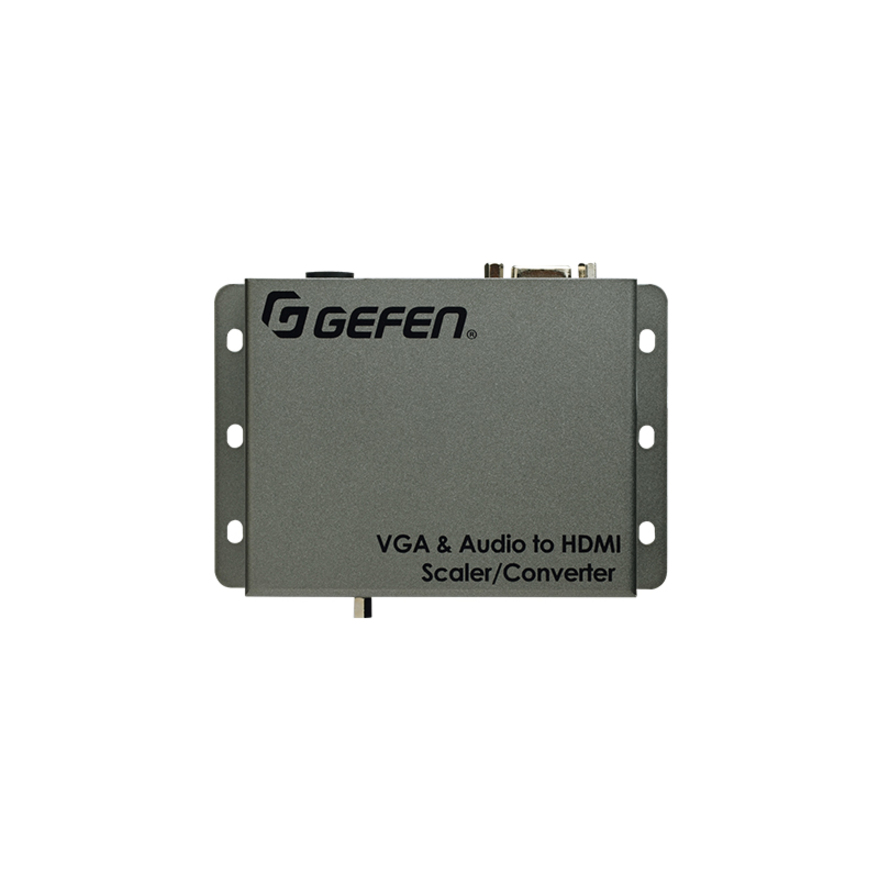
Scale and convert video and audio from a VGA source for use with an HDMI Display

The Gefen EXT-VGAA-HD-SC scales and converts video from a VGA source to digital video from an HDMI output. It can also embed analog L/R audio into HDMI. Video can be scaled up to 1080p Full HD and 1920 x 1200 (WUXGA). An intuitive and comprehensive on-screen display (OSD) menu allows easy set-up and control. This product can be configured and updated using the Gefen Syner-G™ software suite. The Gefen Syner-G™ is a powerful set of software tools specifically designed to help discover, configure/customize, manage, monitor, and upgrade Gefen products. Wide power supply operating range of 6V to 24V DC offers installation flexibility for mobile use, in complex studio systems with a common power supply, and with remotely located power sources. A locking power supply connector, small footprint, and a surface-mountable enclosure facilitate easy and secure installation.

How It Works

Use the included VGA cable to connect a VGA source to the VGA input. Connect the included 3.5mm mini-stereo cable from the source to the L/R audio input. Use a Gefen locking HDMI cable to connect a display to the HDMI output. Connect the included 12V DC power supply to the unit and to an available electrical outlet. The power LED will glow in blue once the power supply is plugged in. Once the unit is connected, powered on, and displaying video, press the Menu button to bring up the On-Screen Display (OSD). The Up and Dn (down) buttons are used to navigate through the various functions of the OSD.
  • USB port for use with Gefen Syner-G™
  • Wide power supply operating range (6V to 24V DC)
  • Gefen Syner-G™ simplifies in-field firmware updates and advanced EDID management including custom input timings
  • Embeds 2-channel analog stereo audio in HDMI signal
  • Aspect Ratio Control: Full Screen, Panoramic, Letter/Pillar, Extract/Crop
  • Test Pattern Generator for quick system configuration
  • On-screen display (OSD) menu allows easy set-up and control
  • Output resolutions up to 1080p60 and 1920 x 1200 (WUXGA)
  • Input resolutions up to 1920 x 1200 (WUXGA)
  • Converts and scales VGA and L/R analog audio to HDMI
Brand
Brand Gefen
Screen / Display
Maximum Resolution 1920 x 1200
USB Ports
USB Yes
HDMI Ports
HDMI Yes
Audio Ports
Audio Line In Yes
Size / Dimensions
Form Factor External
General Features
Functions Video Scaling
Manufacturer Nice S.p.A.
Video Ports
VGA Yes
Gefen VGA & Audio to HD Scaler / Converter - Functions: Video Scaling - 1920 x 1200 - VGA - USB - Audio Line In - 1 - External