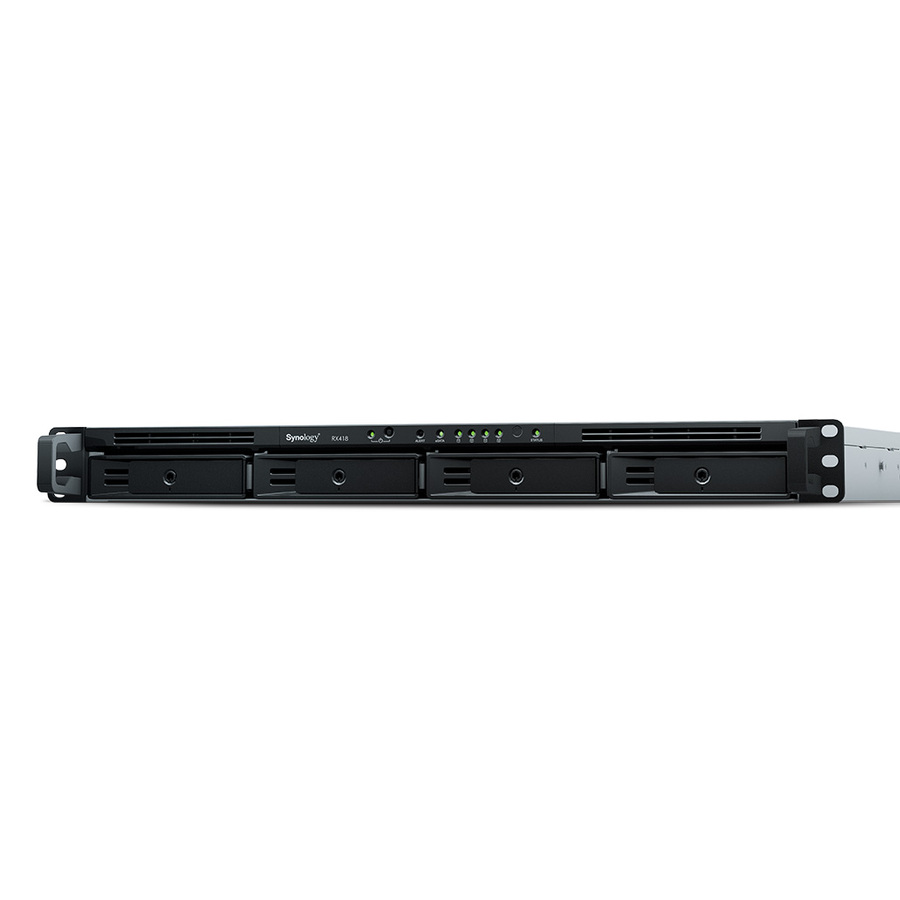
Storage capacity expansion
When the storage capacity on Synology 1U RackStation reaches its limit, Synology expansion unit RX418 provides easy capacity expansion by adding 4 3.5"/2.5" SATA drives to the system. Synology RX418 can also be used as a dedicated local backup destination of Synology 1U RackStation for comprehensive data protection.
Reliable plug-and-play design
Simply connect Synology RX418 to corresponding Synology RackStation and it is ready to use. Drives in the connected Synology RX418 operate as though they were internal to the connected Synology NAS and can be managed directly by Synology DiskStation Manager (DSM), with no additional software installation required.
Green and easy to manage
Award-winning Synology DSM provides an intuitive user interface for easy system management. Drive hibernation can be configured in DSM to take effect automatically when the system has been inactive for a period of time. This not only saves energy but also extends the lifespan of the installed drives.
- Compact in size but massive in performance. Provides sufficient external data storage, with ultra-fast data transfer speeds and configurable modes.
- Organize wires & secure cables for professional installation with rack mounting facility
| Brand | |
|---|---|
| Brand | Synology |
| Storage | |
|---|---|
| Number of Solid State Drive I | No |
| Number of Hard Drives Install | No |
| Number of Hard Drives Support | 4 |
| Number of Solid State Drive Installed | No |
| Number of Hard Drives Installed | No |
| Number of Hard Drives Supported | 4 |
| Number of Solid State Drive Supported | 4 |
| Size / Dimensions | |
|---|---|
| Form Factor | Rack-mountable |
| Rack Height | 1U |
| General Features | |
|---|---|
| Cooling Fan | Yes |
| Manufacturer | Synology, Inc |
| Drive Bays | |
|---|---|
| Number of Solid State Drive S | 4 |
| Number of Total Expansion Bays | 4 |
| Number of 2.5"/3.5" Bays | 4 |
| Misc Ports | |
|---|---|
| Host Interface | eSATA |