Skip to Content

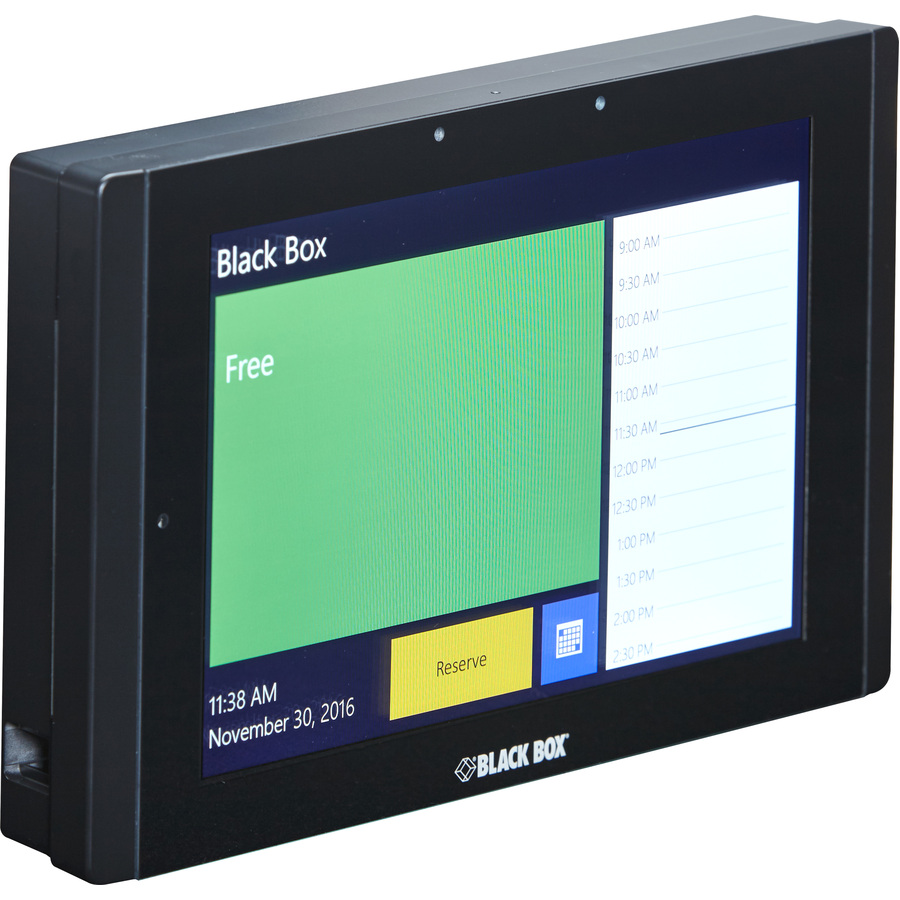
Black Box Room Scheduler - 7" , On-Wall

2,029.99 2,029.99
2,029.99

2,029.99 / Units
  • Brand
  • Product Name
  • Marketing Information
  • Brand Name
  • Manufacturer Part Number
  • Country of Origin
  • Package Contents
  • Limited Warranty
  • Manufacturer
  • Product Type
  • Application/Usage
  • Manufacturer Website Address
This product is eligible for 30-day returns. See our return policy for details. Terms and Conditions
Shipping: 1-6 Business Days
  • Mount on any surface, including glass walls.
  • Quick and easy installation and setup. No programming needed.
  • Configure via the touch panel or web GUI.
  • Suitable for small offices as well as large corporations. Use for one room or dozens of rooms.
  • Ethernet ports enable 10/100BaseT network connectivity.
  • PoE-powered.
  • Protrudes only 1" from the wall.


The In-Session Room Scheduler gives you a simple way to reserve meeting rooms. Because it works with Outlook, Microsoft Office 365, Microsoft Exchange Server, and Google Apps from Work, you can easily reserve rooms directly from your computer or smartphone. Or, you can use the touch panel.

In-Session is suitable for small offices as well as large corporations. It's scalable enabling the use of dozens of touch panels which can be interconnected with the main panel to show all room reservations. You can check the status of the room from afar with just a glance at the touch panel LEDs.

The system features a multilingual user interface: Czech, Danish, English, French, German, Latvian, Russian, and Spanish. Other languages are available on demand.
  • PoE-powered.
  • Choose between 7" or 12" displays.
  • Ethernet ports enable 10/100BaseT network connectivity.
  • Configure via the touch panel or web GUI.
  • Suitable for small offices as well as large corporations. Use for one room or dozens of rooms.
  • Options for mounting on any surface, including glass walls or flush with the wall.
  • Quick and easy installation and setup. No programming needed.
  • Make instant reservations, or extend and cancel existing meetings, directly from the touch panel through Microsoft Office 365, Microsoft Exchange Server, or Google Apps for Work.
  • View current status and availability of the room, including meeting details and room calendar.
  • Use to reserve boardrooms, conference rooms, lecture halls, auditoriums, classrooms, and any other meeting place.
Brand
Brand Black Box Corporation
General Features
Manufacturer Black Box Corporation